
Using Sound and Light to Enhance Escape Room Immersion
Someone stopped by our escape room venue early one morning asking for a tour. None of the rooms were turned on yet. Each room was either pitch black or we had flipped on the overhead lights that we never use during an actual game. Every room was silent.
During the tour, everything looked....underwhelming. The tour fell a little flat. Without the atmospheric lighting and the soundtrack pulling you into the story, the rooms were just, unremarkable.
The interesting thing is that many of our rooms looked like that for customers when we first opened back in 2017. We would dim the lights a bit or maybe add some color overlays. There was a soundtrack but mostly just to try to drown out noisy players in the room next door. he focus was more on the puzzles, and the environment was a little more of an afterthought.
That's changed dramatically. Today's players expect to be transported somewhere. And the operators who understand how sound and light create that feeeling are building experiences that stand apart from everyone else.
Why Indoor Escape Rooms Win
There's a reason outdoor escape rooms haven't taken off the way some predicted. The controlled indoor environment gives you something no outdoor setting can match: complete sensory control.
When players walk through your door, every element of their experience can be intentional. The temperature, the smell, the sounds, the way light falls across a surface. Outdoors, you're fighting traffic noise, weather, and ambient light you can't control. Inside four walls, you can transport someone to a submarine, a haunted mansion, or a space station and make it feel real.
That control starts the moment they step into your space. And it continues until they walk out.
The Soundtrack to Your Story
Many escape room owners think about their soundtrack as background music. Something to fill the silence and make it harder to hear neighboring players, like we did in 2017. But the audio in your room is doing far more work than you might realize.
The pregame soundtrack sets emotional expectations before anyone touches a puzzle. It tells players whether they're about to be scared, challenged, or transported to another world. Get this right and players are already invested before the clock starts.
During the game, your soundtrack should do more than loop. It should build. As time winds down, the music should create urgency. Not by being annoying or distracting, but by subtly increasing tempo, layering in tension, raising the emotional stakes. Players shouldn't consciously notice the shift, but they should feel it.
The postgame moment matters more than many operators realize. When that clock stops and they've escaped, what do they hear? A celebration soundtrack should mark the hero moment. It tells players they accomplished something. That moment is what they remember. Don't let it happen in silence.
Sound as a Design Element
Beyond the background soundtrack, triggered sounds can become part of your puzzle design. A "bing" when players stand in the right spot. A mechanical click when the correct combination is entered. A meow when they finally notice the cat hidden in the bookshelf.
These audio cues serve as hints players don't even notice they're receiving. They reward progress and guide attention without requiring gamemaster involvement. Some of the best rooms use sound so well that players complete puzzles faster without ever realizing they're being helped.
Playing sounds when puzzles are solved is also a simple way to mark progress. Players know something happened. They feel the momentum. And you can track in your game control system exactly when that trigger fired, giving you data on how long each puzzle takes to complete.
DMX: The Entertainment Industry Standard
DMX is the industry standard for adding dynamic lighting to your rooms. It stands for Digital Multiplex, and it's the protocol that theaters, concert venues, and theme parks have used for decades to control lighting fixtures.
The DMX standard is mature and well-supported. The equipment is affordable. And once you understand the basics, you can do things that genuinely transform the player experience.
Getting Started with DMX
There are two main approaches to connecting DMX lighting to your game control system.
The first is USB-based adapters. Enttec makes several popular options that connect to your game control PC and output DMX directly. The Open DMX USB is an entry-level option. The DMX USB Pro is more robust and better suited for production environments. You plug it into your computer, connect a standard DMX cable to your first light fixture, and daisy-chain from there.
The second approach uses Ethernet-based DMX nodes. These are standalone devices that connect to your network and convert network signals to DMX output. The advantage here is flexibility in placement. Your game control PC can be anywhere on your network while the DMX node sits in or near the room it controls. sACN (also called E1.31) is the modern industry standard protocol for this approach, replacing older options like Art-Net.
Either approach works. USB is simpler for single-room setups or when your game PC is close to the fixtures. Ethernet gives you more flexibility as you scale.
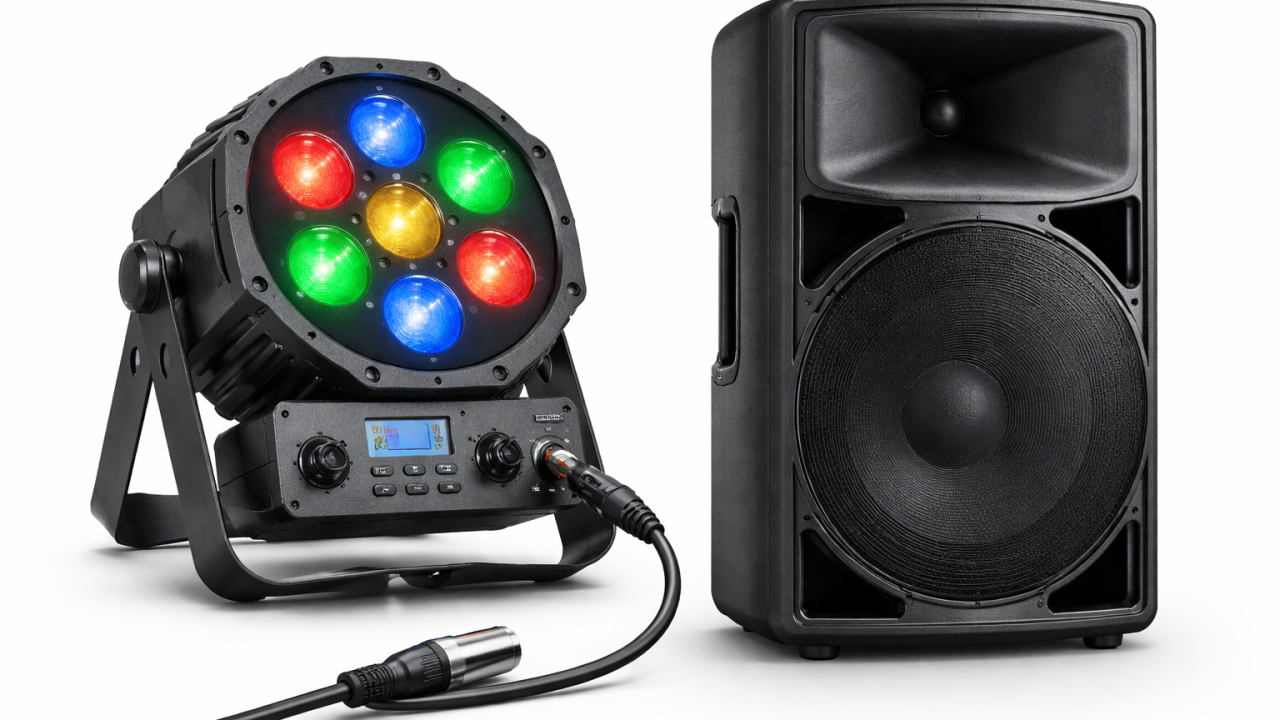
DMX cables run from the controller to each light. They are usually either microphone XLR cables, or phono cables like use for wired headphones. DMX lights may also need separate power or get their power from the communication cable. You just string lights together in series. Each light has an "in" and and "out" connection. You may need a terminator at the end depending on the light. Each light is programmed with an address. It listens for it's address and a color or mode to know what to do. Messages are sent several times a second, so you can create quick light effects easily, and if a message does get corrupted the next one comes so quickly you don't even notice.
What You Can Actually Do
The practical applications range from subtle to dramatic.
Synchronize lightning effects with thunder in your soundtrack. When the audio thunder crashes, flash your DMX-controlled fixtures. Make an electrical "surge" sound while the lights fade in and out to simulate a power surge. Add a flicker effect to lights near a video screen inside a fireplace to make those flames feel more real. The combination of sound and light creates an effect that's far more convincing than either element alone.
Create urgency through lighting as time runs out. Shift from warm, comfortable tones to cooler, harsher light. Subtle changes that players feel more than see.
Reward puzzle completion with a lighting change. The room literally brightens when they succeed. Or a new area illuminates, drawing their attention to what unlocks next.
Set up downtime lighting that goes to full brightness between games. Your staff can see clearly to reset, clean, repair, and inspect. Then with one button press or automatic trigger, the room transforms back to its theatrical state before the next group enters.
Start Simple
If you've never worked with DMX before, don't try to automate your entire venue on day one. Start with one room. Get a USB DMX adapter, a few RGB par cans or LED fixtures, and experiment. Learn how channels work. Learn how your game control system triggers lighting cues.
Once you understand the fundamentals, you'll see opportunities everywhere. And the investment in sound and lighting will pay off in ways that better puzzles alone never can. Because immersion isn't just about what players do with their hands. It's about where they believe they are.