ESCAPE ROOM OPERATIONS PLATFORM
The Tools Behind the Best Experience
Drawbridge handles venue upkeep, guest experience, and staff performance with the consistency and quality your customers expect, even across multiple locations. Explore the features that empower your team and perfect your performance.
FOR EVERY TYPE OF OPERATOR
Explore Our Modules
Drawbridge helps you do more than run games. It’s a full-featured solution that simplifies every part of your operation, from daily tasks to long-term growth.
CORE
Manage Your Venue Without Living There
Our Core module gives you venue operations from anywhere, plus auto-connect to commercial game control (like COGS or Mythric). It works with your existing cameras. Manage multiple locations like they're one venue.
Venue Operations
With Drawbridge, take control of your venue from anywhere with the following features.VPN Remote Access
Connect to your venue with a secure VPN that provides an instant, local experience from anywhere.
Repairs & Maintenance
Log and manage maintenance issues in games, tagging priority and any potential safety issues.
Inventory
Track supply counts, add notes, images, and links to purchases.
Cleaning Lists & Room Audits
Create lists of daily and weekly tasks to be completed in your venue.
Customer Surveys
With post-game surveys, you can easily know about guest experiences.
Google Reviews
Approve or automatically send generated responses to Google reviews from an editable prompt.
Lobby Wait Tracking
Easily know how long guests have waited in the lobby using camera vision technology.
Game Control Integration
Seamless connectivity to COGS or Mythric Mystery Master includes all gamemaster features listed below. Add our Games module to build your games in Drawbridge or use our advanced GameSense features.
GAMES
Run Games Anywhere, All From a Single Screen
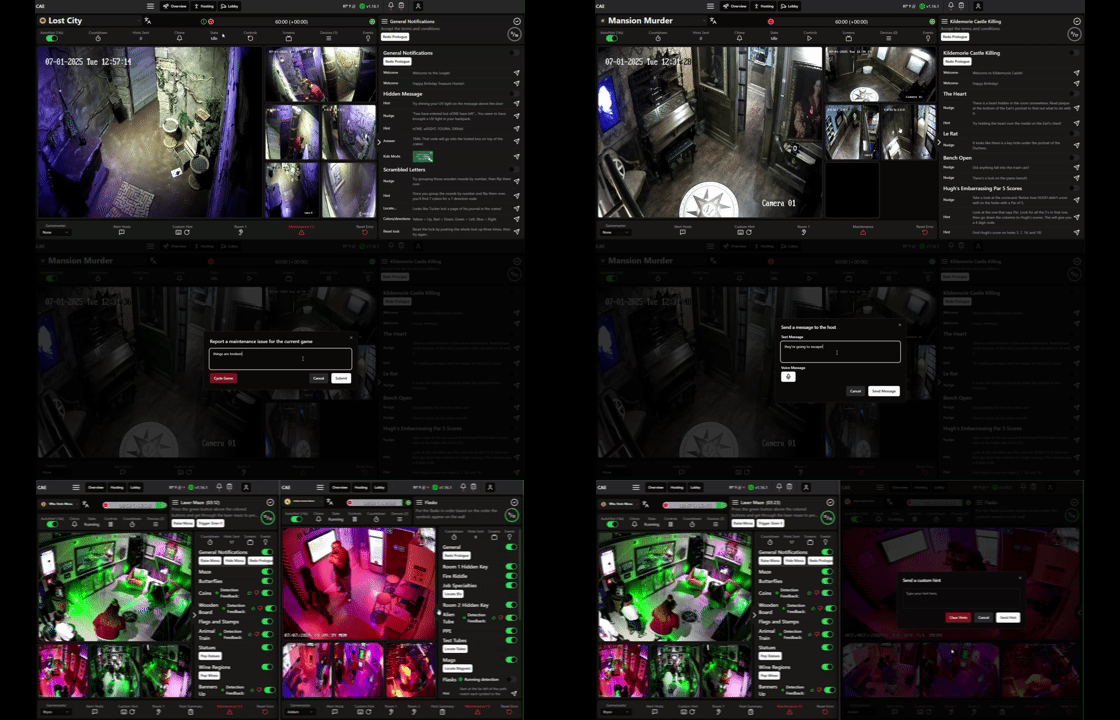
Build games directly in Drawbridge. The Games module supports game states, countdown screens for briefing videos and hints, background audio, and connections to your existing hardware via Modbus, DMX, and MQTT.
Game Control
Explore the features that you can gain with the Games module.Playbooks
Use Drawbridge's Playbooks to build games directly in the platform.
Objectives & Hints
Add objectives and hints to help you track game progress and stay organized.
Countdown Screens
Create countdown screens that display hints and pre-game videos.
Background Audio
Add background music and sound effects to enhance your game experience.
Game State
Track game state from prologue to idle for overall game orchestration.
Cameras
Add and view your cameras directly from the gamemaster page.
Devices
Connect to your existing hardware for remote triggering and status monitoring.
Magic Moments
Automate capturing videos and images of guests during gameplay to be downloaded and shared.
GameSense™ Features
Automatic objective tracking using your existing cameras. A second set of eyes on every room.What GameSense™ can detect:
- Players entering specific areas, or across multiple regions
- Individual props being moved
- Boxes or doors opened, even just for a moment
- Items placed correctly in a row, or in a matrix, anywhere in the room
- Total number of people counted in a zone
- Puzzle solutions verified
- Any camera-visible event you can define
What you can trigger:
- Unlock doors or props in your game control
- Play sounds or change lighting
- Alert staff when something happens
- Send auto-hints when players are stuck
- Mark objectives complete based on camera detection
GameSense™ Configurator
Create unlimited custom camera triggers without writing a single line of code. Our visual configurator puts powerful automation in your hands.Gamemaster Features
Everything you need to gamemaster from a single browser tabDuring Games:
- Integrated cameras and hint management on one optimized GM screen
- One gamemaster can support multiple games
- Auto-Hint with timeout so guests are never left waiting
- Progress Timer improves escape rates
- Real-time hint translations
- Device to Objective Mapping for faster prop triggers
- Device Dashboard to visualize puzzle completion progress
- Text/Voice memo between staff eliminates need for walkie-talkies
- Remote GM capable: local experience from anywhere in the world
- Capture Magic Moments from your camera feed
After Games:
- Reset checklists with photo references
- Share player sentiment with the Host (requires Flow)
- Reset error log (attributing to staff requires Crew)
- Activity audit log: tracks every action, GM and Host assignments
- Share Magic Moments with customers
- Hall of Fame and Fastest Times
- Hint Quality Performance Tracking
- Objective Timing to optimize game flow and tracking
- Game Forensics for customer dispute resolution
FLOW
Always Know What to Do Next
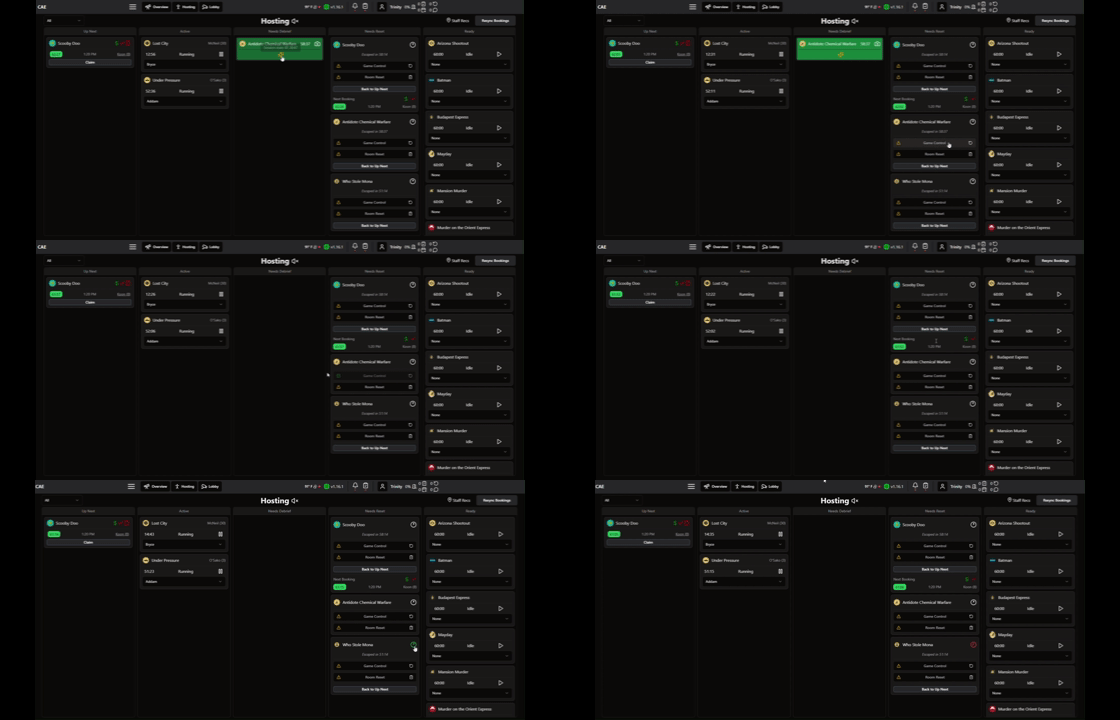
Our Flow module offers silent, digital coordination via a single dashboard. Staff always know the most important thing to do next. They have instant customer context to personalize the experience pre and post game even if they were not the gamemaster.
Point of Sale Integration
Connect your point of sale system for even richer insights.Real-Time Integration
Synchronization with Resova, Bookeo, Xola, Roller, Fareharbor, and Digitickets to track booking status and payments.
Groupon Fraud Protection
Automatically redeem used vouchers and receive notifications when a voucher is invalid.
Check In Status
View check in status and waiver completion. Communicate to your existing POS system when guests arrive.
Player Count Verification
Compare tickets sold to the number of guests in the room using camera vision technology to capture lost revenue.
Hosting Features
Keep track of your guests and their progress through your venue.Before Games:
- Time until booking start
- Customer details: name, player count, contact info
- Check-in status & waiver management
- Payment status
- Customer history: games played, escape rates
- Host summary provides GM with player context
- Weather tracking to anticipate walk-in traffic
After Games:
- Integrated photo management
- Auto-send completion time & success to your photo/closeout software
- Performance highlights from the current game
- GM summary provides Host with player sentiment
- Personalized rebooking recommendation
- Custom recommendations of nearby things to do
- Room reset priority queue & progress tracking
CREW
Build A Culture Of High Performance
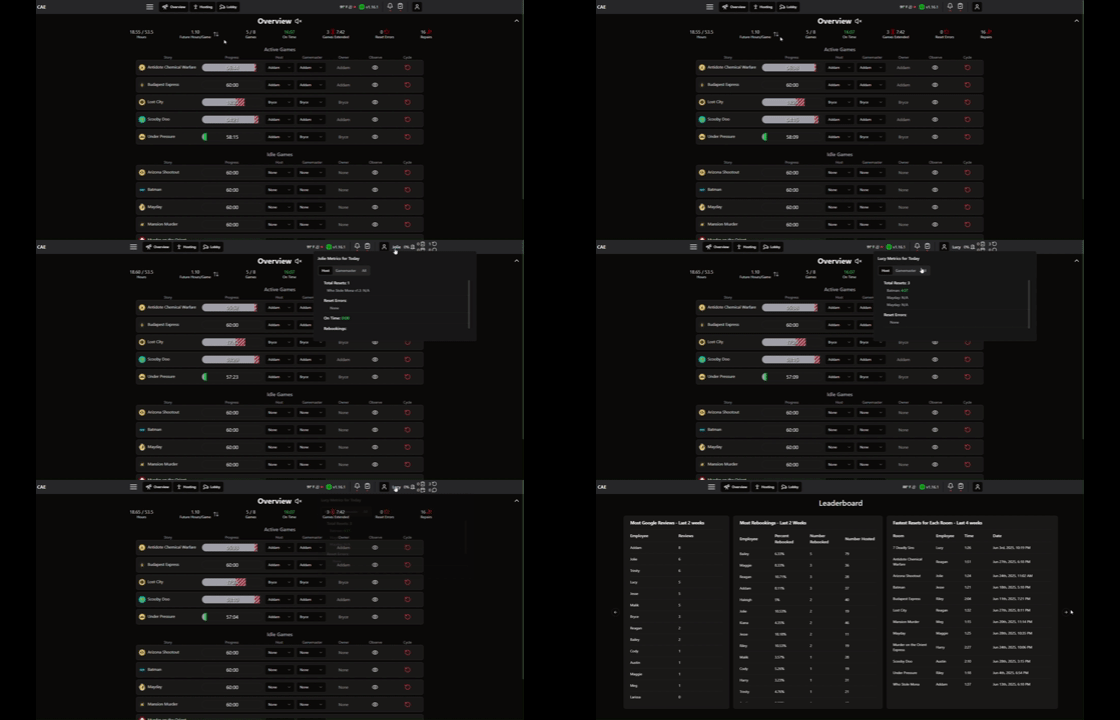
The Crew module provides real-time staffing optimization to trim labor or call in help. Training modules with quizzes and progress tracking. Automatic retraining flags. Leaderboards show who's getting groups out, earning review mentions, driving rebookings, and hitting goals in real time. Individual metrics allow for performance discussions based on data.
Timekeeping Features
Track your staff's performance and optimize your schedule.Training & Scheduling:
- Create and track training modules and quizzes
- View schedule helper with predictive staffing
- Set up and track staff goals
Performance:
- Track rebookings and Google review mentions
- Individual performance metrics
- Staff performance leaderboards
Integrate Your Timekeeping Software:
- Connect with Homebase, WhenIWork, 7shifts, ClockShark, Humanity, Paycom, Shiftie, or Optim8
- Real-time staffing hours optimization
- Complete staff audit activity tracking
- Automatic retraining flags for room resets
Quarterly Employee Performance ReportsFor managers conducting reviews
- Employees ranked by escape rate with games mastered
- Top 3 leaderboards: reviews, rebookings, hint response time
- Individual insights per employee
- Metrics include: escape rates, reset errors, tardiness, training completion
REPORTS
From Guesswork to Data-Driven Decisions
You don't have to keep flying blind or stay buried in spreadsheets. Our Reports module provides you with a Daily Closing Report in your inbox every morning. Our Weekly Balanced Scorecard shows 12-week trends, and our Monthly snapshot covers financials and employee performance.
Reports Features
Take control of your financials and employee performance.Note:Reports works best with Flow and Crew for richer insights.
Daily Closing Report:For shift supervisors and anyone running the floor
- Yesterday's revenue, games, and staffing cost as % of revenue
- Performance by game: bookings, players, escape rates, hints, escape times
- Game start punctuality: which games started late and by how much
- Staff hours worked and who was on shift
- GM activity: games mastered, escape rates, hints given, time added
- Reset times and errors by employee
- Maintenance tasks completed and items still needing repair
- Reviews received and staff mentions
- Player count discrepancies flagged
Weekly Balanced Scorecard:For general managers and operations leads
- Financial: revenue, bookings, effective rate per player
- Customer: escape rates, Google review scores, rebookings, staff mentions
- Internal process: game punctuality, hint response time, reset error rate
- Learning/growth: training completion, new hire onboarding, average tenure
- Leading indicators: upcoming revenue, review activity, average reset times
Monthly Report:For owners, investors, and leadership teams
- Financial summary with YoY and 12-month average comparisons
- Summary by game: players, bookings, revenue share, hints, escape rates
- Quality summary: Google rating, reviews, staff mentions
- Staffing summary: hours, hours per game, staffing as % of revenue
- Revenue breakdown by day of week and hour
- Employee performance table
Leading Indicators Dashboard:For owners and GMs planning ahead
- Future bookings by game with player counts and revenue
- Booking growth rate week over week
- Advance booking trends
- Future group bookings coming in the next 30 days
- New customer acquisition by week
Trend Analysis Dashboard:For owners and managers optimizing operations
- Game revenue over last 4 weeks
- Staffing hours per game and as % of revenue
- Revenue per staffing hour
- Repeat customers by week
- Same day bookings trend
- Open repairs and expired tasks over time
INTEGRATIONS
Connect the Tools You Already Use
Seamlessly integrate with the industry's most trusted booking engines, game controllers, timekeeping systems, and more to create a single, powerful hub for your operation.
















Ready to Start?
Let us guide you to better operations and happier customers.