
Updating Your Game Control: When Your Rooms Were Built for a Different Kind of Guest
Why Revisit Game Control Now?
Today, most escape room operators try to help the majority of their guests escape. The experience matters more than the challenge. Guests should progress through the story, see the reveals, and leave feeling successful. When a group gets stuck or a prop misbehaves, the game master needs to step in to keep things moving.
But many rooms weren't built with this in mind. When the room was designed, it was more about the challenge of escaping. You'd give hints, but only if guests asked, and often there was a limit. If someone entered a code wrong and got stuck, that was on them for not paying attention. They might not complete the room, and that was part of the game. It wasn't necessary or even desirable for the game master to force a prop open. That would be like playing the game for them, and customers didn't want that.
As operator priorities have shifted, the need for remote override capability has grown. Many owners are now looking at older rooms and asking: how do I add this ability?
This article discusses the various things to consider and options for overrides and modern game control technology.
Wiring an Override
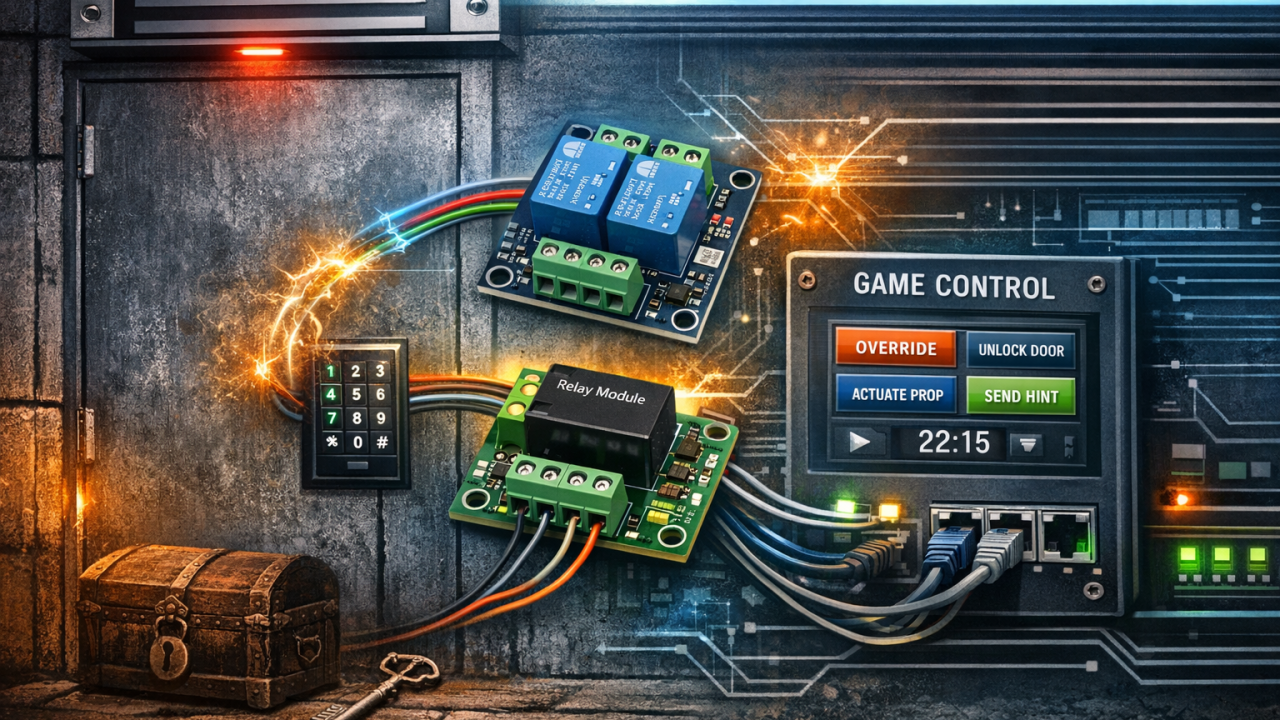
To add override capability to maglocks, solenoids, or motors, you will need to add another relay to each puzzle you want to override. How you wire that relay depends on what you're trying to accomplish.
To force a maglock to release: Wire your override relay in series with the existing relay. Keep it turned on most of the time, and turn it off to override the prop. If either relay opens the circuit, power is cut and the maglock releases. The puzzle can still trigger it normally, but now you can also force it open from your control room.
To force an actuator or motor to run: Wire your override relay in parallel with the existing relay. If either relay closes the circuit, power is applied and the motor runs. Again, the puzzle works normally, but you have an alternate way to trigger it.
The relay modules you add will need to be installed somewhere: in the room, in a closet, or in a central equipment area. Be mindful of wire length and try to keep them short where you can since these are higher current lines. The relays you add will need their own power supply, which varies by model.
The next thing to decide is how you want those relays to be activated. Adding override capability often leads to reconsidering your game control technology overall: what protocols your devices speak, where the control logic lives, how everything connects. Let's discuss each, starting with communication protocols.
Communication Protocols
A protocol is the language your control software uses to talk to your hardware. When you click "unlock door" in your game master interface, the software sends a message that ultimately activates a relay. That message might go directly to a relay module, or it might go through intermediate devices like a hub or a gateway.
Many protocols look straightforward until you consider what happens when things don't work perfectly. When your game control software sends a command, several things might happen:
- The message arrives and the device responds correctly
- The message gets lost somewhere along the way
- The message gets corrupted in transit
- The message arrives but you have no way to confirm it.
For something like forcing a maglock open, you want to know the first option occurred and that it actually worked.
When evaluating protocols, it helps to consider:
- Error detection: Does the protocol use checksums or other methods to detect corrupted messages?
- Acknowledgement: Does the protocol confirm the message was received?
- Retry mechanism: If a message fails, does the protocol automatically resend it?
- Feedback: Can you verify the device actually did what you asked?
Let's look at the common protocols used in escape rooms today and how they measure up.
Modbus TCP
Originally developed in 1979 for industrial automation, Modbus TCP runs over standard Ethernet. It's the native protocol for most PLCs (Programmable Logic Controllers), and together they form one of the more robust ways to control props in escape rooms.
Commands use a simple register-based model and wiring map. "Write value 1 to register 100" might mean "unlock the maglock." The device responds with confirmation or an error code. Because it runs over TCP, the underlying network layer handles packet acknowledgment and retransmission. Modbus also includes CRC checksums to detect corrupted data.
The combination works well because PLCs are designed for this kind of application where you have continuous operation and need real-time control in a harsh environments. They're what factories use to run assembly lines, and that level of reliability translates well to escape rooms where props need to work every time.
Suitability = Excellent
MQTT
A messaging protocol designed for IoT devices, using a publish/subscribe model. Devices connect to a central broker and subscribe to topics. When a message is published to a topic, all subscribers receive it.
MQTT offers three quality-of-service levels: QoS 0 (fire and forget, no acknowledgment, message might not arrive), QoS 1 (at least once, acknowledged with retry, but might deliver duplicates), and QoS 2 (exactly once, four-step handshake guarantees single delivery).
For prop control, QoS 1 is usually what you want. If a message gets delivered twice, the relay just gets told to open twice, which is fine. QoS 2 matters when duplicates cause problems, like if you're incrementing a counter in a room.
Suitability = Good if QoS 1 or 2
Z-Wave
A wireless protocol operating below 1 GHz, designed for home automation. This frequency band is less crowded than 2.4 GHz, where WiFi, Bluetooth, and many other devices all compete for bandwidth. When you send a command to a single device, Z-Wave requires acknowledgment and will retry automatically if it doesn't get one. The mesh network can route around failed paths. However, if you send a command to multiple devices at once, there's no acknowledgment. The system just hopes they all got it.
Suitability = Fair (Wifi only)
Zigbee
A wireless protocol at 2.4 GHz, also designed for home automation. It shared that frequency band with Wifi and Bluetooth devices, and that can create delays or corrupt messages. Zigbee has two layers of acknowledgment: one between neighboring devices and one from end to end. Both support automatic retry. The mesh network can also find new routes if paths fail. Like Z-Wave, commands sent to multiple devices at once aren't acknowledged.
Suitability = Fair/Low (Wifi only)
Philips Hue
A consumer lighting system using Zigbee internally with a proprietary bridge. All commands route through the Hue bridge. Limited to 50 devices per bridge and the Hue ecosystem of products. Some features require cloud connectivity.
Suitability = Low - Fair for occasional lighting needs with limited scale
DMX
DMX is common in escape rooms but is designed for lighting effects, not prop control. It's unidirectional: the controller sends, fixtures receive, and there's no acknowledgment or feedback. You have no way to verify that a command worked. For lighting this is fine because DMX continuously refreshes the state about 44 times per second, so any missed packet corrects itself almost instantly. For props where you need confirmation, use one of the protocols above.
Suitability = Low for Props
Where the Logic Lives
Protocols tell you how devices communicate, but there's a bigger system design question: where does the logic live? Something has to decide when to activate the relay. That logic can happen in:
- Game control/orchestration software
- A microcontroller
- A PLC
- A dedicated prop controller
Logic in Game Orchestration Software
The software tracks game state, decides when to trigger things, handles timing and sequencing. You configure all of this information and logic about the game inside the software. The hardware is just relay modules that connect using MQTT or another protocol and switch on command. Devices could be the Zooz ZEN17 (Z-Wave) or Waveshare ethernet relay modules. They have a fixed function and no device programming is required. You buy it, configure the address, wire your maglock, and it works. All logic stays in one place (the game control software), which makes it easy to modify and troubleshoot. The tradeoff is that if the software crashes or loses connection, then nothing works.
Logic in Microcontrollers (ESP32, Arduino)
You write code that runs on a microcontroller with various inputs, outputs, and othe rsensors. The device can read inputs, make decisions, sequence multiple outputs, play audio, control displays, and activate relays based on that logic. The game control software can send one high-level command like "start puzzle X" and the microcontroller handles all the details.
ESP32 and Arduino are the most common choices for escape rooms. Both can connect via wired ethernet (Arduino with an Ethernet Shield, ESP32 with modules like LAN8720 or W5500) or wireless (ESP32 has built-in WiFi, Arduino needs additional shields).
Many prop builders have moved from Arduino to ESP32 for networked applications for a few reasons:
-
More system resources: ESP32 has significantly more RAM and flash memory, so you don't have to be as careful about resource usage in your code and can write larger programs.
-
Built-in networking with its own thread: WiFi runs on a separate core, so network issues are less likely to interfere with the prop logic you program.
-
Better watchdog support: If your code does have a problem, the hardware is more likely to restart itself and recover automatically.
Microcontrollers give you flexibility to implement complex custom logic, and they can operate independently if orchestration software has issues. The tradeoff is that you need coding skills, and reliability depends on your code quality. The logic being spread across multiple devices as well as the game control software can make problems harder to troubleshoot.
Logic in PLCs
PLCs are industrial computers designed for continuous operation. You program them with ladder logic (or similar languages), and they directly control relay output modules, and other modules. The logic runs on the PLC itself, independent of any external software. Similar to microcontrollers, the game control tells the PLC "start puzzle X" and it executes a sequence of actions.
PLCs are modular. You start with a base unit that handles processing and communication, then add I/O modules as needed: relay outputs, digital inputs, analog inputs. The wiring works the same as with standalone relay modules: series for maglocks, parallel for motors.
PLCs offer industrial-grade reliability, built for 24/7 operation. The parts have good long term availability. They run independently of orchestration software and consolidate multiple relays and I/O in one system. The tradeoff is higher cost than microcontrollers and a learning curve for ladder logic programming. For a simple override, a PLC may be overkill.
Logic in Dedicated Prop Controllers
Companies like Fright Ideas make standalone prop controllers such as the BooBox. These have built-in logic that you configure through a simple button interface, selecting from preconfigured modes: trigger on input, trigger with delay, toggle, and others. They can play sounds, trigger relays, and handle multiple inputs and outputs. No coding required, and they're surprisingly flexible for having just a few buttons.
The biggest limitation is that these controllers are completely standalone. They don't connect to your network or communicate using any protocol. Your game control software cannot read their status or force them to trigger. If you need that level of integration, you'll need to use a microcontroller or PLC instead.
So far, you decided what kind of devices you need, what protocol you want to use, and how you want to structure your logic. Now you need to decide how to physically connect them.
Infrastructure: Wired vs Wireless
Connecting your devices to your local area network (LAN) is usually lower cost than running separate wiring, and also makes it easier for your game control software to not have to be physically close to the room like a USB or Serial connection would require.
You have two fundamental options for connecting to your network infrastructure.
Wired (Ethernet): The more reliable choice. Ethernet doesn't have interference, signal strength, or network congestion issues. Many peripheral devices also support PoE (Power over Ethernet), so one cable handles both power and data. If you can run cables, run cables.
Wireless (WiFi, Z-Wave, Zigbee): When running cables is difficult or impossible, you may need ot use WiFi. A wireless is never as reliable as wired because you have added variables like signal strength, interference from other devices, and network congestion. If a prop fails intermittently, wireless connectivity may be the culprit.
Another note on WiFi devices: some rely on cloud servers to function, which means your props stop working if your internet goes down or the manufacturer discontinues the service. This can also be a security concern. Before buying, understand the architecture. Can the device work locally on your network, or does every command go through the cloud? Some setups use the cloud by default, but also allow you use a hub device on your local network to keep traffic local and avoid the cloud dependency.
Game Orchestration Software
Game control or game orchestration software is the user interface that manages the overall game state, breaks the experience into steps, tracks player progress, handles hints, and lets the game master intervene when needed. Forcing props open is one function within that larger picture.
Orchestration software exists on a spectrum:
DIY/Flexible: At one end, you have tools like Node Red that can be configured to do almost anything but require technical knowledge to set up. You choose your own hardware, your own protocols, and wire it all together yourself. Maximum flexibility, steeper learning curve, and more expertise to ensure all your edge cases are covered properly.
Turnkey/Integrated: At the other end, you have systems where the hardware and software are designed to work together. You buy the package, plug it in, and it works. These systems get you operating extremely quickly. You're trading flexibility for ease of use and speed to deploy.
Open Protocol/Mixed Hardware: In the middle, you have software that supports standard protocols like Modbus TCP and MQTT, letting you choose from a range of third-party hardware. These provide more flexibility in hardware than a turnkey system, but less configuration than the full DIY option.
Where you land on this spectrum depends on your technical comfort level, how much customization you need, and whether you prefer to invest time or money. There is no wrong answer. Operators run successful rooms at every point on the spectrum.
Putting It Together
Adding a remote override capability to an existing room comes down to a few decisions:
-
Wiring: Wire in series for maglocks (either relay opening releases the lock), parallel for motors (either relay closing runs the motor).
-
Where logic lives: Game orchestration software for simple relay switching. Dedicated prop controllers for standalone puzzles that don't need network integration. Microcontrollers or PLCs for custom local logic with network connectivity.
-
Protocol: Modbus TCP for industrial reliability. MQTT for flexibility with various devices. Z-Wave or Zigbee for wireless consumer devices. Match what your orchestration software supports.
-
Infrastructure: Wired whenever possible. Wireless only when you can't run cables.
-
Orchestration: Pick software that fits your technical comfort level, from DIY flexible to turnkey integrated.
If you're just adding override capability to an older room, start simple. A few wired ethernet relay modules controlled by your orchestration software could solve the problem without a major overhaul. Connect them in series with your maglocks, connect them to your network, and you're in business. As you build new rooms or upgrade further, you can add more sophisticated local logic if needed. Many operators find that simple relay modules and centralized software logic handle the majority of what they need.